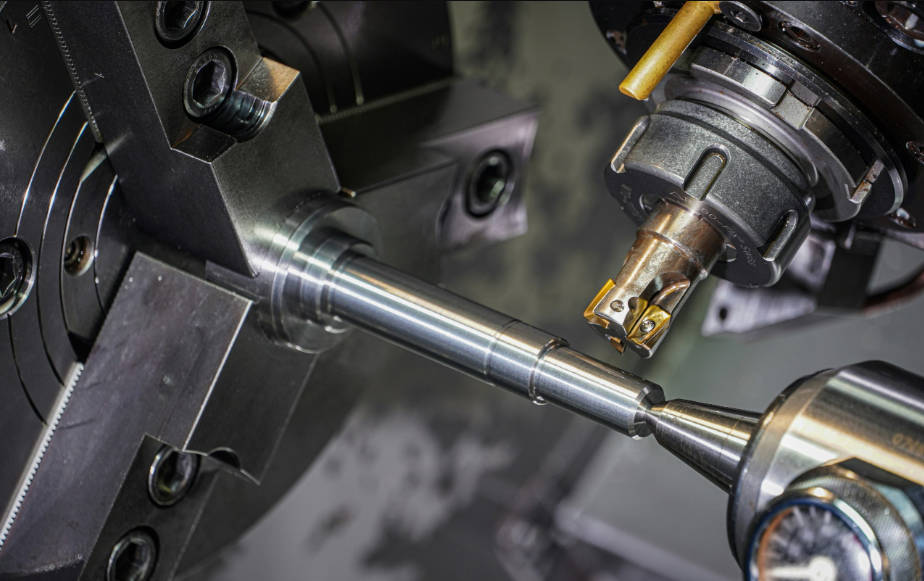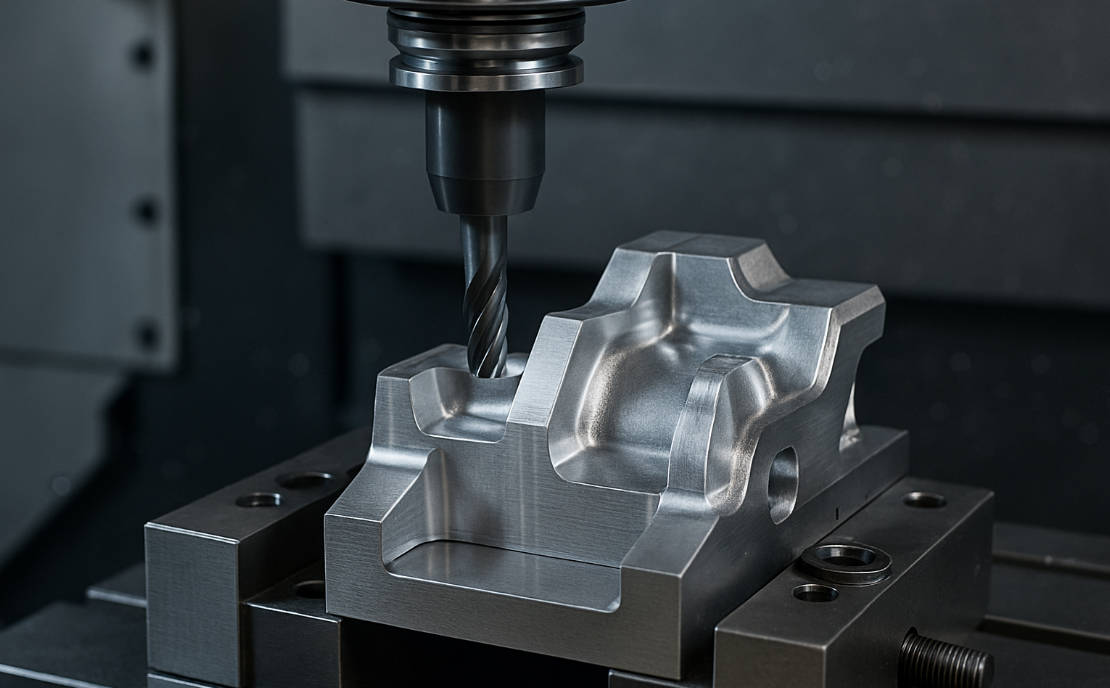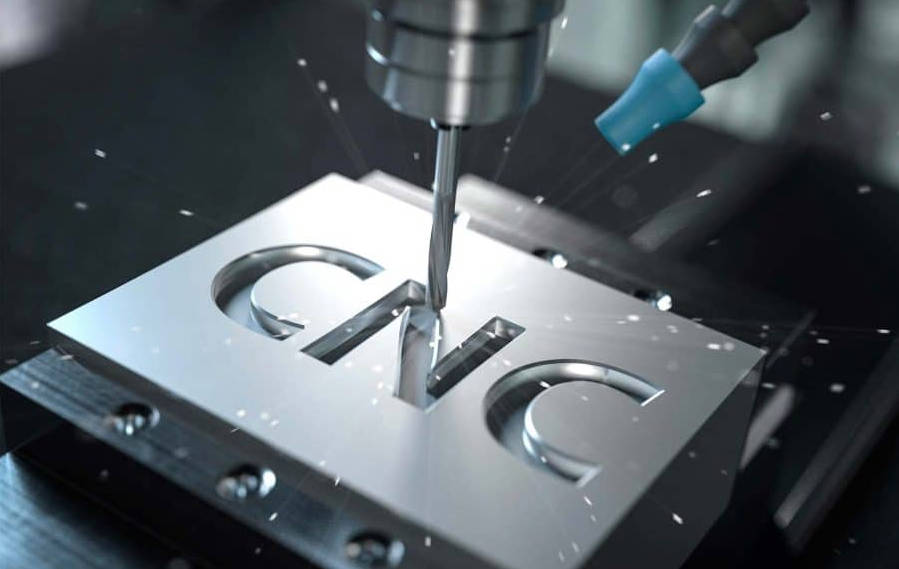
Writing G-code for CNC milling involves creating a plain text file of sequential commands, known as blocks, that instruct a CNC machine on how to move, what speed to use, and which functions to perform. Each block contains specific letter-address codes (like G, M, X, Y, Z, F, S) that dictate everything from rapid positioning and controlled cutting movements to spindle rotation and coolant activation, ultimately translating a digital design into a physical part.
Table of Contents
- What Exactly is G-Code? The Language of Machining
- How is a G-Code Program Structured?
- The Essential G-Codes Every CNC Milling Programmer Must Know
- Mastering the Key M-Codes (Miscellaneous Functions)
- A Practical Example: Writing G-Code to Mill a Simple Square
- Which is Better? The Role of CAM Software vs. Manual Programming
- Conclusion: Your Journey into CNC Programming
What Exactly is G-Code? The Language of Machining
At its heart, G-code is the fundamental programming language for computer-numerical control (CNC) machines. Think of it as a set of instructions, much like a recipe for a chef or sheet music for a musician. It doesn’t describe the final part’s geometry in a visual way; instead, it provides a precise, step-by-step sequence of actions for the machine’s controller to execute. This language, formally known as RS-274, is the bridge between your digital design (CAD) and the physical reality of a machined component. While modern CAM (Computer-Aided Manufacturing) software automates the generation of G-code for complex parts, understanding how to read, edit, and even write it by hand is an invaluable skill. It empowers you to debug programs, perform simple operations without CAM, and gain a much deeper understanding of the entire machining process.
The “G” in G-code stands for “Geometric,” as these codes primarily control the machine’s geometry of motion—where the tool goes and how it gets there. They are paired with “M” codes, or Miscellaneous functions, which handle machine actions like turning the spindle on/off or activating the coolant. Every CNC machine controller (like Fanuc, Haas, Siemens, or LinuxCNC) reads this text file line by line, executing each command in order to drive motors, control speeds, and ultimately, cut material. While there is a general standard, different controllers have minor “dialects,” so it’s always wise to consult your specific machine’s manual.
How is a G-Code Program Structured?
A G-code program might look intimidating at first, but it follows a very logical and consistent structure. Understanding this structure is the first major step toward writing your own code. A program is simply a sequence of command lines, also known as blocks. The machine reads these blocks one after the other, from top to bottom.
The Anatomy of a G-Code Block
Each block, or line of code, contains one or more commands called words. A word consists of a letter (the “address”) followed by a numerical value. The letter tells the controller what kind of instruction it is, and the number specifies the value for that instruction. Let’s dissect a typical block:
N100 G01 X10.5 Y5.0 Z-2.5 F150;
This single line contains a wealth of information. Here’s what each word means:
| Word | Address (Letter) | Name | Function in this Example |
|---|---|---|---|
| N100 | N | Sequence Number | Identifies this block as line 100. It’s optional but helps with organization and error identification. |
| G01 | G | Preparatory Command | Commands a Linear Interpolation move, which is a straight-line cutting motion. |
| X10.5 | X | X-Axis Coordinate | Sets the target X-axis coordinate for the end of the move to 10.5 units. |
| Y5.0 | Y | Y-Axis Coordinate | Sets the target Y-axis coordinate for the end of the move to 5.0 units. |
| Z-2.5 | Z | Z-Axis Coordinate | Sets the target Z-axis coordinate for the end of the move to -2.5 units (e.g., cutting 2.5mm deep). |
| F150 | F | Feed Rate | Sets the speed of the cutting move to 150 units per minute (e.g., mm/min or inch/min). |
The “Program Sandwich”: Header, Body, and Footer
Professionals often refer to a well-structured program as a “sandwich.” It has a top piece (the header), the filling (the body), and a bottom piece (the footer). This organization ensures that the machine is set up safely, performs the work correctly, and shuts down in a clean, predictable state.
- Program Header (The Top Slice): This is the setup section at the beginning of the program. It contains a “safety line” of codes that put the machine into a known, safe state. It also defines units (inches/mm), selects the work offset (e.g., G54), calls the tool, and starts the spindle. It prepares the machine for the first cut.
- Program Body (The Filling): This is the main part of your program where all the work happens. It consists of the sequence of G00, G01, G02, and G03 commands that move the tool to cut the part’s geometry. This section contains all the positioning and cutting moves.
- Program Footer (The Bottom Slice): This is the cleanup section at the end. It’s just as important as the header. It retracts the Z-axis to a safe height, stops the spindle, turns off the coolant, and formally ends the program (often with an M30 command), resetting it for the next run.
The Essential G-Codes Every CNC Milling Programmer Must Know
While there are hundreds of G-codes, you can accomplish about 80% of all programming tasks with just a handful of them. Mastering these core commands is the key to writing effective G-code by hand. Many codes are modal, meaning they remain active in subsequent blocks until another code from the same group cancels or replaces them. For example, once you command a `G01` move, all subsequent coordinate blocks will also be `G01` moves until you command a `G00`, `G02`, or `G03`.
G00: Rapid Positioning (Get There Fast)
The `G00` command is used for non-cutting moves. It tells the machine to move to a specified XYZ coordinate at its maximum possible travel speed. Its sole purpose is to reduce cycle time by getting the tool from point A to point B as quickly as possible when it’s not engaged with the material. Crucially, you must never use G00 to move into or through the workpiece. The path it takes is not always a straight line on all machines; it may move each axis independently at max speed. Always ensure there’s a safe clearance between the tool and the part before executing a `G00` command.
G01: Linear Interpolation (Controlled Cutting)
This is arguably the most important cutting code. `G01` commands a move along a straight line between two points at a specified cutting speed, known as the feed rate (`F` word). Unlike `G00`, the machine controller perfectly synchronizes the axis motors to ensure a perfectly straight path, which is essential for milling flat faces, shoulders, and chamfers. You must always specify a feed rate (`F`) when initiating a `G01` move. This feed rate is modal, so you don’t need to repeat it in every `G01` block unless you want to change the cutting speed.
G02 & G03: Circular Interpolation (Cutting Arcs and Circles)
When you need to mill arcs or circles, you use `G02` (Clockwise Arc) and `G03` (Counter-Clockwise Arc). In addition to the endpoint coordinates (X, Y), you must define the center of the arc. This is typically done in one of two ways:
- Using I and J: `I` and `J` are addresses that specify the incremental distance from the arc’s start point to its center point. `I` corresponds to the X-axis, and `J` corresponds to the Y-axis. This is the most common and robust method.
- Using R: You can also use the `R` address to specify the arc’s radius. While simpler for some cases, it can be ambiguous. For arcs greater than 180 degrees, you must use a negative `R` value. For a full circle, you must use the I/J method.
G54-G59: Work Coordinate Systems (Where is the Part?)
A CNC machine has its own fixed coordinate system, called Machine Coordinates. However, it would be impossible to place every workpiece in the exact same spot. This is where Work Coordinate Systems (WCS), or work offsets, come in. Codes `G54` through `G59` allow you to define different part origins. Before running a program, the machinist uses a probe or an edge finder to measure the distance from the machine’s home position to a specific corner or center of the workpiece (e.g., the front-left-top corner). These X, Y, and Z values are stored in the machine’s `G54` register. When your program calls `G54`, all subsequent coordinates are interpreted relative to that new, user-defined zero point, making your code independent of the part’s physical location on the machine table.
Mastering the Key M-Codes (Miscellaneous Functions)
If G-codes handle motion, M-codes handle all the other machine actions. They are essential for a complete and automated program. Here are the non-negotiable M-codes you need to know.
| M-Code | Function | Description |
|---|---|---|
| M03 | Spindle ON (Clockwise) | Starts the spindle rotating in the standard clockwise direction. Usually paired with an `S` word to set the RPM (e.g., `S2500 M03`). |
| M04 | Spindle ON (Counter-Clockwise) | Starts the spindle rotating in the reverse direction. Used for left-hand threads or specific tooling. |
| M05 | Spindle OFF | Stops the spindle rotation. Used before tool changes and at the end of a program. |
| M08 | Coolant ON | Turns on the flood coolant system to lubricate and cool the tool and workpiece. |
| M09 | Coolant OFF | Turns off all coolant systems. |
| M06 | Tool Change | Commands the machine to perform an automatic tool change. Must be preceded by a tool selection (e.g., `T01 M06` loads Tool 1). |
| M00 | Program Stop | Pauses the program execution unconditionally. The operator must press a button to resume. Used for manual inspection or chip clearing. |
| M30 | Program End and Reset | Stops the program, turns off spindle and coolant, and resets the code to the beginning. This is the standard way to end a CNC program. |
Spindle Control: M03, M04, M05
The spindle is the heart of the milling machine, and controlling it is critical. The `M03` command is used for 99% of milling operations, as it initiates a clockwise rotation, which is standard for right-hand cutting tools. It is always accompanied by an `S` word that defines the speed in revolutions per minute (RPM), for example, `S3000 M03`. Conversely, `M04` is used for counter-clockwise rotation, necessary for tasks like tapping with left-hand threads. Finally, `M05` is the kill switch; it completely stops the spindle. This is a crucial safety command, always used before a tool change (`M06`) or at the program’s end (`M30`) to ensure the machine is in a safe, static state.
Coolant Control: M08, M09
Machining generates intense heat and friction, which can damage the tool and the workpiece. The `M08` command activates the machine’s primary coolant system, typically flood coolant, which douses the cutting area. This is essential for most metal-cutting operations to improve tool life and surface finish. Once the cutting operations are complete, or before a tool change, the `M09` command is used to turn off all coolant systems. This prevents coolant from spraying everywhere during non-cutting moves or when the machine doors are opened, keeping the work area cleaner and safer.
Program & Tool Control: M00, M06, M30
These M-codes manage the flow of the program and tooling. The `M06` command is used to execute a tool change. It is always preceded by a tool number (`T`) command, like `T02 M06`, which instructs the machine to load tool number 2 into the spindle. The `M00` command acts as a hard pause, stopping the program until the operator manually resumes it. This is useful for clearing chips, measuring a feature, or performing an in-process inspection. The most important of these is `M30`, which signifies the end of the program. When the controller reads `M30`, it stops the spindle, turns off coolant, and resets the program pointer back to the first line, preparing the machine to run the same part again with a single button press.
A Practical Example: Writing G-Code to Mill a Simple Square
Let’s put everything together. Our goal is to write a G-code program to mill a 2-inch by 2-inch square on the top face of a piece of stock, cutting 0.1 inches deep. We will use a 0.25-inch diameter end mill.
Step 1: Program Planning, Workpiece Setup, and Tool Selection
Before writing a single line of code, we must plan.
- Workpiece Zero (G54): We will set our X0 Y0 Z0 at the top-left corner of the workpiece.
- Tool: We will use Tool #1 (T1), which is a 0.25″ end mill. The tool’s radius is 0.125″.
- Cutting Path: To cut a 2″x2″ square, we must offset our tool path by the tool’s radius. Our tool center will actually trace a path from X-0.125 to X2.125 and Y-0.125 to Y2.125 to get an outside profile. For simplicity in this example, we will trace the exact 2″x2″ profile, starting just outside the corner.
- Speeds and Feeds: Let’s assume a spindle speed of 4000 RPM (S4000) and a cutting feed rate of 20 inches per minute (F20).
- Safe Z Height: We will use Z1.0 as our safe rapid height and Z0.1 as our approach height.
Step 2: Writing the Program Block by Block
Here is the fully commented G-code program. The text in parentheses are comments, which the machine ignores but are invaluable for humans to read.
%
O1001 (PROGRAM NAME - 2 INCH SQUARE)

(--- HEADER / SETUP ---)
N10 G20 G90 G40 G80 G17 (SAFETY BLOCK - INCH, ABSOLUTE, CANCEL COMP, CANCEL CYCLES, XY PLANE)
N20 T01 M06 (LOAD TOOL 1)
N30 G54 (ACTIVATE WORK OFFSET 1)
N40 G00 X-0.2 Y-0.2 (RAPID TO START POSITION, JUST OUTSIDE CORNER)
N50 S4000 M03 (START SPINDLE AT 4000 RPM CW)
N60 G43 H01 Z1.0 (ACTIVATE TOOL LENGTH OFFSET 1, RAPID TO Z1.0 SAFE HEIGHT)
N70 M08 (TURN COOLANT ON)

(--- BODY / CUTTING MOVES ---)
N80 G01 Z0.1 F50 (FEED DOWN TO APPROACH HEIGHT)
N90 G01 Z-0.1 F20 (PLUNGE INTO MATERIAL AT FEED RATE)
N100 G01 X2.0 (FEED ALONG X-AXIS TO CUT FIRST SIDE)
N110 Y-2.0 (FEED ALONG Y-AXIS TO CUT SECOND SIDE)
N120 X0.0 (FEED ALONG X-AXIS TO CUT THIRD SIDE)
N130 Y0.0 (FEED ALONG Y-AXIS TO COMPLETE THE SQUARE)

(--- FOOTER / CLEANUP ---)
N140 G00 Z1.0 (RAPID RETRACT TO SAFE Z HEIGHT)
N150 M05 (STOP SPINDLE)
N160 M09 (TURN COOLANT OFF)
N170 G91 G28 Z0 (GO TO MACHINE HOME IN Z AXIS)
N180 G91 G28 X0 Y0 (GO TO MACHINE HOME IN X AND Y)
N190 M30 (END PROGRAM AND RESET)
%
Step 3: Verifying and Simulating Your Code
Never run a new, unproven program on a real machine. Manually written code is prone to typos and logical errors that can cause catastrophic crashes. Always use a G-code simulator or the “Graph” or “Dry Run” mode on your CNC controller. These tools provide a visual representation of the toolpath, allowing you to catch mistakes—like a typo that sends the tool plunging through the part at rapid speed—before any damage is done. This verification step is a non-negotiable part of the professional machining workflow.
Which is Better? The Role of CAM Software vs. Manual Programming
In the modern machine shop, there is a place for both manual G-code programming and CAM software. The choice depends entirely on the complexity of the task and the desired efficiency. Understanding the strengths and weaknesses of each approach makes you a more versatile and effective programmer.
When Should You Write G-Code by Hand?
Manually writing G-code, often called “conversational” or “manual” programming, shines in several scenarios. It’s perfect for simple 2D geometries like facing a part, drilling a few holes, or milling a basic pocket or square profile. For these tasks, it can often be faster to type out a 20-line program at the machine controller than to go back to a CAD/CAM workstation, create a model, generate toolpaths, and post-process the code. Furthermore, it is an essential skill for editing and debugging. CAM software isn’t perfect; sometimes it generates inefficient or incorrect code. Being able to read the G-code, identify a problem (like an unnecessary retract motion), and fix it directly saves immense amounts of time. It’s also an incredible learning tool that provides a foundational understanding of how the machine actually works.
Why is CAM the Industry Standard for Complex Parts?
For any part involving 3D surfaces, complex curves, or high-efficiency toolpaths, CAM software is not just an option—it’s a necessity. It would be practically impossible to manually calculate the thousands or millions of tiny, coordinated XYZ points required to mill a 3D mold or a contoured airfoil. CAM systems like Autodesk Fusion 360, Mastercam, or SolidCAM use the 3D CAD model as a direct input. They provide sophisticated algorithms to generate highly optimized toolpaths, including high-speed machining (HSM) techniques like trochoidal milling, which are designed to maximize material removal rates while minimizing tool wear. CAM automates the tedious calculations, manages complex tool libraries, and produces reliable, crash-free code for the most intricate jobs imaginable.
Conclusion: Your Journey into CNC Programming
Learning how to write G-code for CNC milling is like learning the native tongue of your machine. While CAM software acts as a powerful translator for complex conversations, the ability to speak the language directly gives you unparalleled control, insight, and problem-solving capability. By mastering the fundamental structure of a program, the essential G- and M-codes, and the logic of toolpath planning, you transform from a machine operator into a true machinist and programmer. Start with simple programs, always simulate your code before running it, and embrace the process. This foundational skill will serve you throughout your entire career in manufacturing, enabling you to work more efficiently, creatively, and confidently.
g code for cnc milling, how to write g code, cnc programming, g code tutorial, cnc milling basics, g code for beginners, what is g code, g and m codes, g00, g01, g02, g03, m03, m06, m30, cnc program structure, g54 work offset, write g code by hand, CAM vs manual programming, CNC milling code example